Weather & world clocks
Up to 10 cities, local time copy, 7/16-day trends.
XCOPY TOOL
Multi-city weather and world clocks; Chinese calendar memos; offline live dialogue across dozens of languages without staring at text; text/photo translate; batch scan, live listen-translate, Learn a Phrase, Count, private album, fortune compass, safety assistant, anniversaries, countdown, FX convert, share location, automatic network time sync and more. Install on PC or phone; prices and perks follow the software app.
Free to start · Paid removes ads and raises daily translate quota
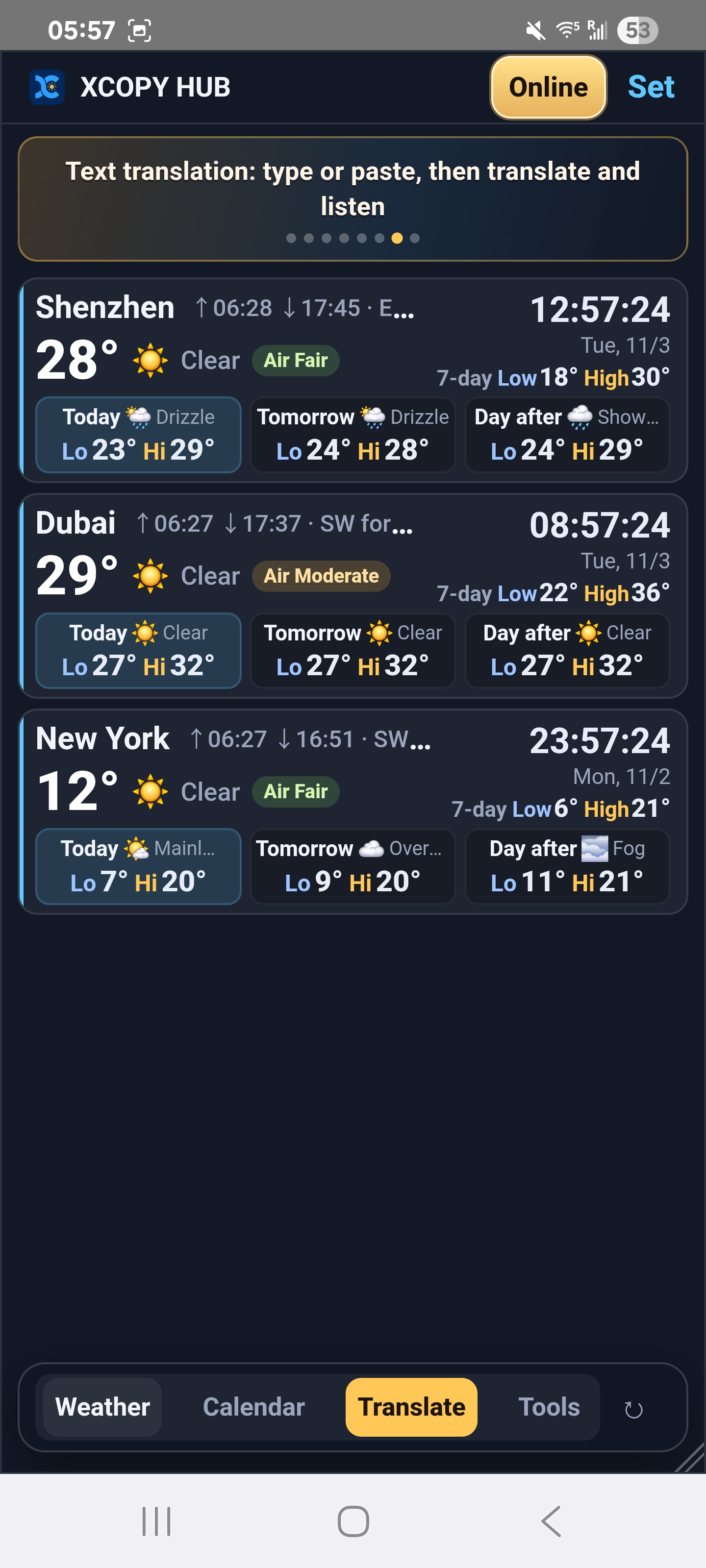
Up to 10 cities, local time copy, 7/16-day trends.
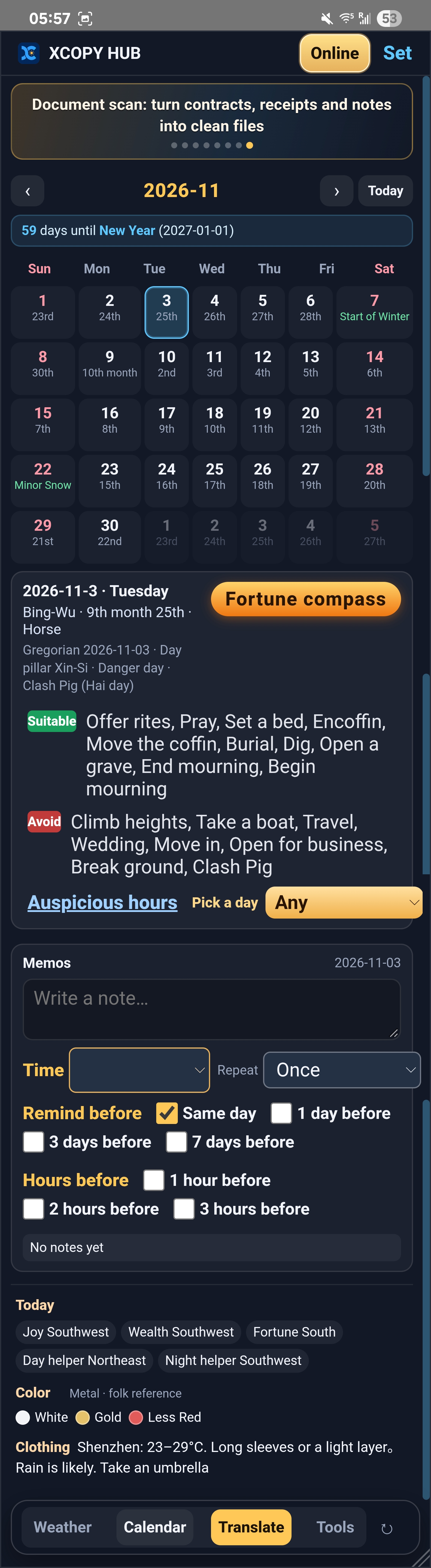
Solar + lunar, holidays and terms; day memos and timed alerts.
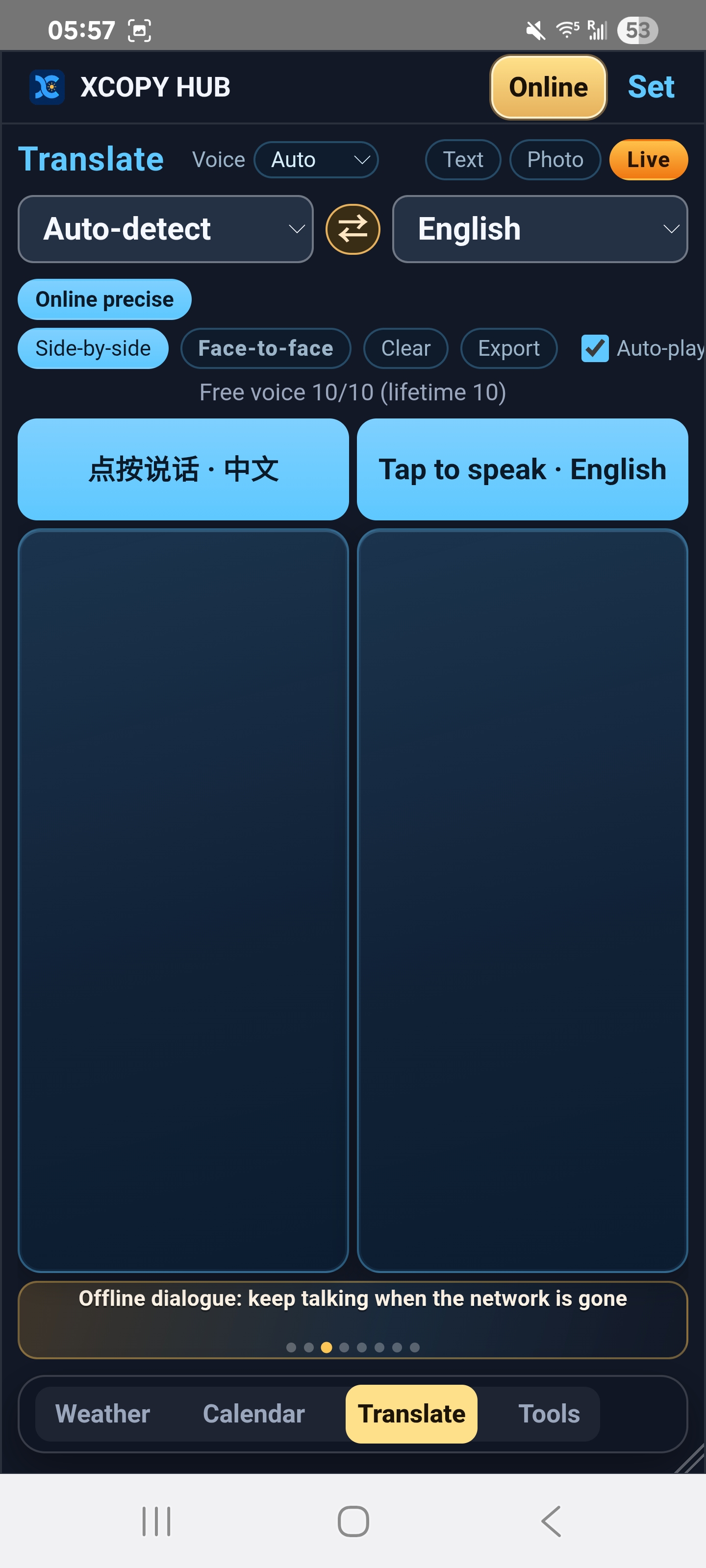
Hands-free two-way talk across dozens of languages; works offline after packs.
Pause-to-translate text and photo OCR for menus, signs and manuals.
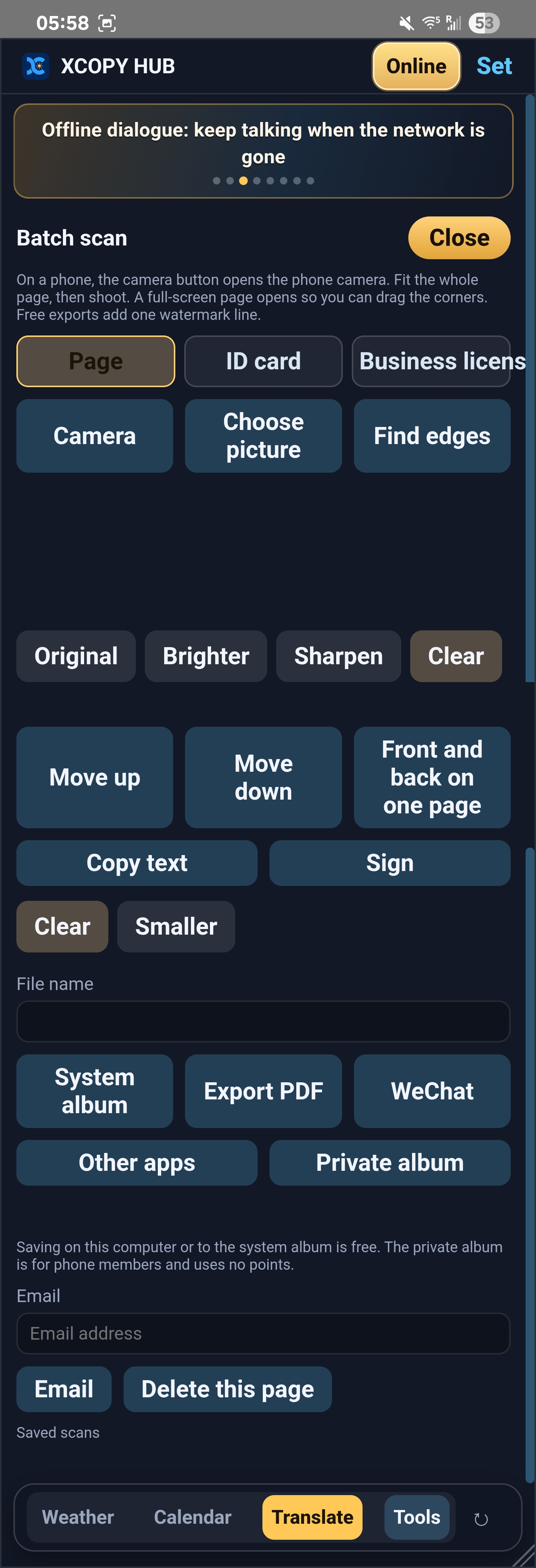
Scan documents and IDs with optional encrypted storage.
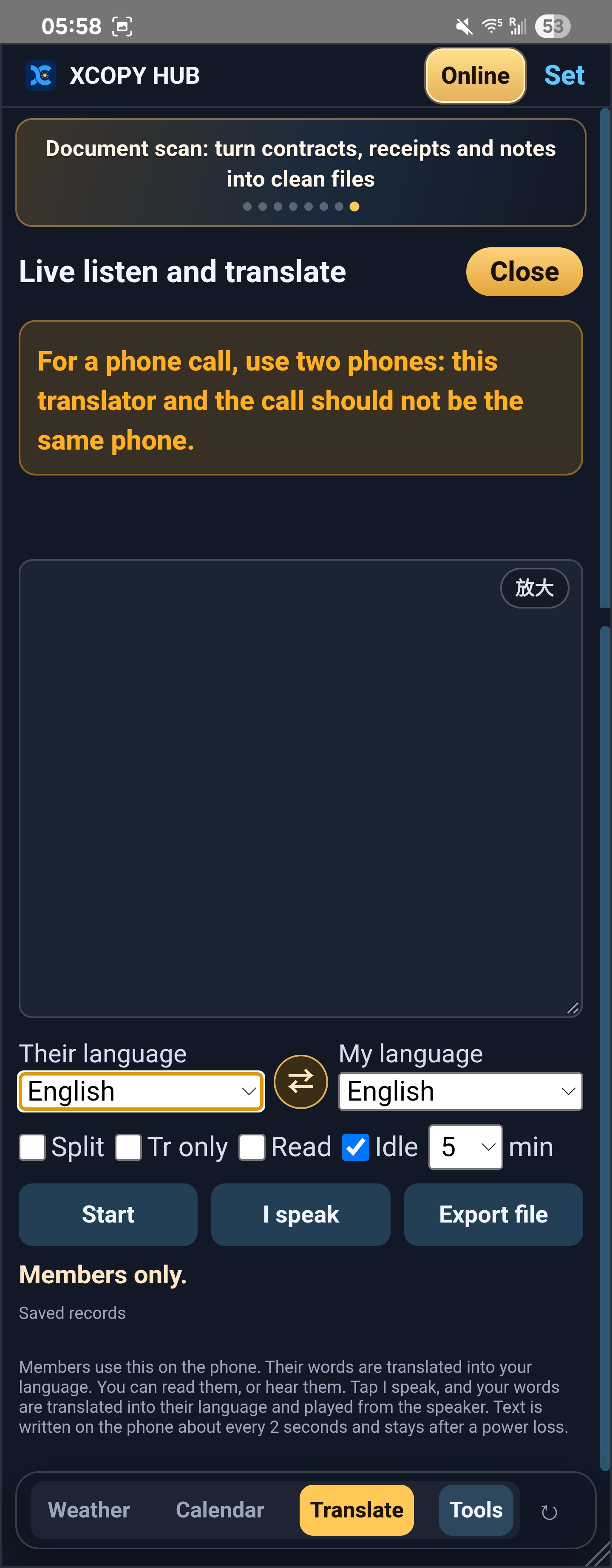
Meetings and calls: speech-to-text and fast translate in real time.
Quick oral practice with listen, speak and scoring.
Recognize people or objects and count them on the spot.
Encrypted backup storage on phone for private files.
Wealth-direction finder, plus compass, level, altitude and angle.
Arrival, expiry, medication and check-in reminders.
Set a start date and see how many days have passed.
Open when needed; popup or ring when due.
Live multi-currency rates and everyday unit conversion.
One-tap location to contacts; Windows pin, click-through lock, tray and auto-start.
Automatic or one-tap network sync so every city clock stays accurate.
Available for Windows and Android—download from this site. Membership and top-up prices follow the software app display.
Open Tools for: offline live dialogue, live listen-translate, batch scan, Learn a Phrase, Count, private album, fortune compass, safety assistant, anniversaries, countdown, FX, share location and more.
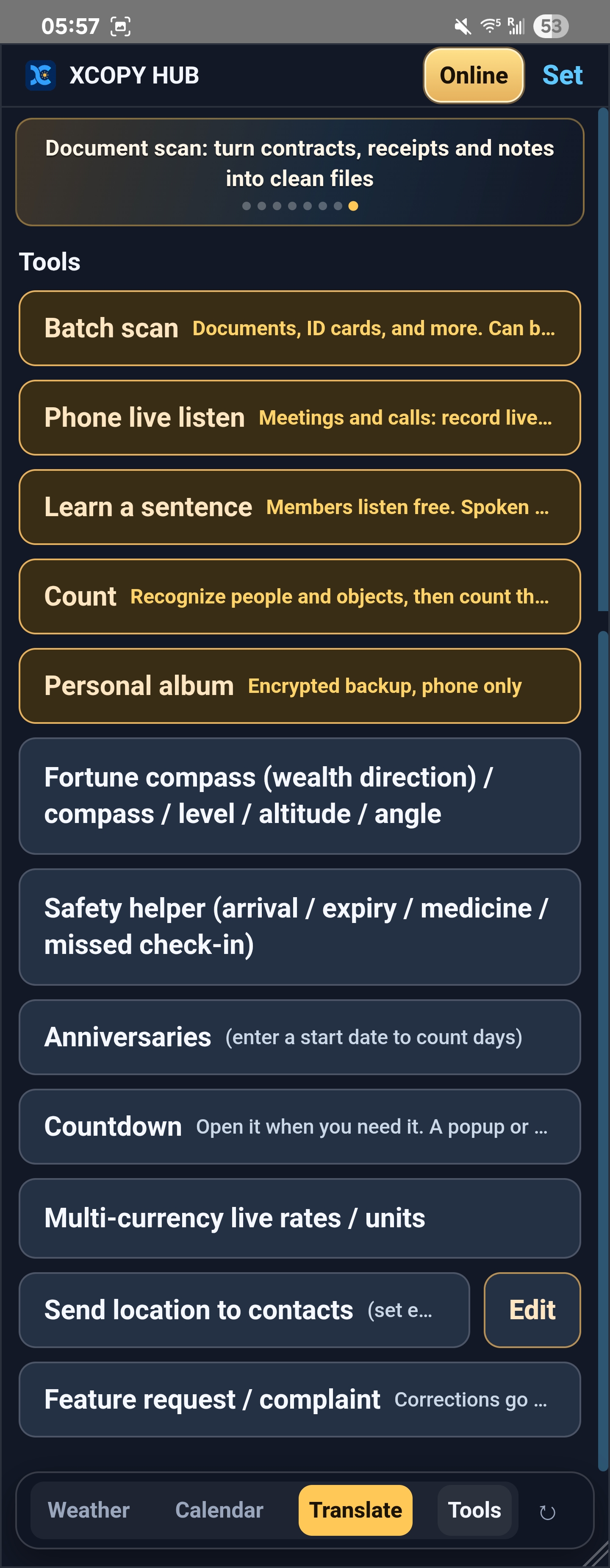
Weather/clocks, calendar memos and live translate are three spines; Tools also covers scan, listen-translate, Learn a Phrase, Count, private album, fortune compass, safety assistant, anniversaries, countdown, FX, share location and auto time sync.
Side-by-side or face-to-face dual-mic layout; hold to speak, then translate with optional auto playback. Voice: auto / male / female. Keep local dialogue history and export selected turns (audio on mobile).
Auto-detect source language; translates after a short pause or via the Translate button. Copy or speak source/target aloud. Free plan: 500 characters/day.
Menus, signs, manuals — snap or pick from gallery. Great for travel and on-site talk.
Floating panel, always-on-top, lock-through, tray, auto-start, opacity & scale, multi-monitor positions. Text translate by default; settings point to stronger mobile features.
Dialogue by default; camera/gallery OCR; lifetime offline packs & force-offline toggle; in-app update + official APK. No tray/click-through.
Real screenshots: Tools panel, multi-city weather, dialogue, calendar memos and more.
¥98
Remove ads and raise daily translate quota. Buy in-app on this channel.
¥158
Lifetime ad-free; offline speech/translate packs and force-offline (see in-app details).
Purchase in-app at this channel’s price. Point top-ups are also in-app.
Download only from this site. Allow unknown sources on Android.
XCOPY TOOL combines live and multi-language translation, multi-city weather and clocks, and Chinese calendar memos for desktop and phone.
This site hosts Windows Setup/ZIP and Android APK. The app checks for updates on launch or resume; confirm before installing.
You can activate on PC or phone, but only one end at a time by default; add dual-device for both online. Rebind in-app when switching. Pack and membership prices follow the software app.
Lifetime only: offline speech/translate packs and force offline; one concurrent download.
Stored on device; uninstall clears them. Export important turns before uninstalling.
Cloud memo sync after paid activation; rebind requires unbind confirmation.